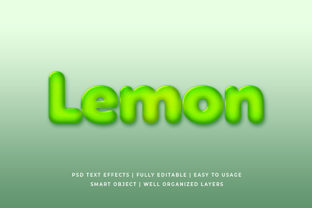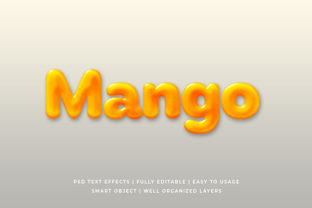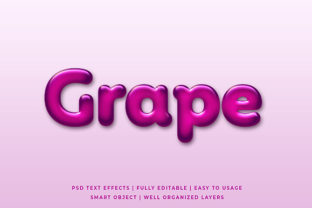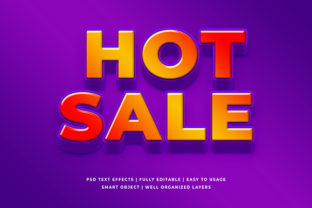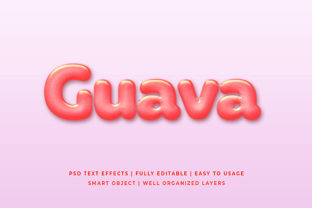
Guava Liquid 3d Text Effect Mockup
In the crowded digital landscape, a static image often fails to capture attention. Users scroll past generic graphics in milliseconds, looking for something that feels dynamic, modern, and professionally crafted. This is where the Guava Liquid 3D Text Effect Mockup becomes an essential tool for creators who need to elevate their visual communication without spending hours mastering complex software. Whether you are a marketer launching a campaign or a designer refining a brand identity, this resource offers a streamlined path to high-impact results.
The core value of this mockup lies in its ability to transform ordinary typography into fluid, organic shapes that mimic liquid motion. Unlike rigid geometric designs, the liquid aesthetic suggests movement and energy, making it ideal for headlines, logos, and promotional banners. By integrating this effect into your workflow, you immediately signal creativity and technical proficiency to your audience.
Simplifying Complex Design with Smart Object Replacement
One of the most significant barriers to creating professional-grade 3D text effects is the steep learning curve associated with 3D modeling software. Many designers avoid these techniques because they require extensive knowledge of lighting, rendering, and geometry. The Guava Liquid 3D Text Effect Mockup eliminates this hurdle through its implementation of Smart Object Replacement.
This feature allows you to simply double-click on the designated layer within the file. A new window opens where you can paste your own text or logo. Once you save and close that window, the mockup automatically applies the liquid texture, shadows, and reflections to your content. You do not need to understand how light interacts with 3D surfaces; the template handles the heavy lifting. This process turns what would be a multi-hour project into a task that takes mere minutes, allowing you to focus on the message rather than the mechanics of the design.
High Resolution Standards for Versatile Applications
Visual clarity is non-negotiable when presenting work to clients or publishing online. Low-resolution assets look unprofessional and can damage credibility, especially when viewed on high-definition screens. This mockup is delivered at 2000x1300 pixels, providing ample resolution for both web and print applications.
The dimensions of 2000x1300 pixels are particularly strategic. They fit perfectly as wide-format assets, such as Facebook covers, YouTube channel art, or Twitter headers, ensuring that your text remains crisp even when displayed on large monitors. Furthermore, this resolution is sufficient for printing flyers, posters, and placards without requiring upscaling, which often degrades image quality. When you use this mockup for website elements or wallpapers, the sharpness ensures that your branding stands out against any background color or pattern.
Organized Layers for Efficient Editing
Professional design files are only as good as their organization. Disorganized layers make editing difficult and increase the risk of accidental errors. The Guava Liquid 3D Text Effect Mockup addresses this by being fully layered and well-organized in folders. Every element, from the main text surface to the subtle reflection overlays and shadow adjustments, is separated logically.
This structure is crucial for users who need to customize specific aspects of the design. For instance, if you want to adjust the curvature of the liquid flow or change the intensity of the highlight without affecting the text itself, you can isolate that specific layer. There is no need to dig through a chaotic list of hundreds of grouped items. The folder system allows you to navigate the file intuitively, making it easier to troubleshoot issues or experiment with different variations. This level of organization supports a smoother workflow, reducing frustration and saving valuable time during tight deadlines.
No Skill Requirement for Immediate Results
A common misconception is that advanced visual effects require advanced skills. While mastery of design tools takes years, using a well-crafted mockup requires only basic familiarity with your software. The no skill requirement aspect of this product democratizes access to high-end visuals. It empowers entrepreneurs, bloggers, and small business owners to create marketing materials that rival those produced by large agencies.
For example, a freelancer working on a client's rebranding project might not have the time to learn 3D texturing. With this mockup, they can produce a stunning liquid text effect that meets the client's expectations immediately. Similarly, educators preparing engaging presentation slides can add a unique visual flair without needing to hire a specialist. The barrier to entry is removed, allowing creativity to flourish regardless of technical expertise.
Diverse Use Cases Across Industries
The versatility of the Guava Liquid 3D Text Effect Mockup extends far beyond simple graphic design. Its fluid nature makes it adaptable to a wide array of projects, each benefiting from the dynamic aesthetic.
- Website Elements: Use the effect for hero section titles or call-to-action buttons to draw immediate user attention.
- Social Media Covers: Create cohesive branding across Facebook, YouTube, and Twitter platforms with consistent, high-quality imagery.
- Banner Promotions: Stand out in email newsletters or ad campaigns with a design that feels fresh and energetic.
- Logo Presentations: Showcase a logo concept in a realistic setting, helping clients visualize how their brand will look in the real world.
- Print Materials: Apply the effect to posters, flyers, and placards for events or product launches.
- Apparel and Merchandise: Utilize the high-resolution file for T-shirt designs and clothing graphics, ensuring the liquid effect prints clearly on fabric.
- Personal Projects: Enhance greeting cards, illustrations, or personal wallpapers with a touch of artistic flair.
Who Benefits Most from This Tool?
While anyone with a design need can benefit, certain groups find this tool particularly transformative. Marketers and advertisers benefit from the speed of production, allowing them to test multiple creative directions quickly. Small business owners appreciate the cost-effectiveness, as they can generate professional assets without outsourcing. Content creators, including YouTubers and bloggers, gain a competitive edge by producing thumbnails and headers that command clicks.
Freelancers also find value in the organized layer structure. When working under strict deadlines, the ability to edit specific parts of a design without breaking the overall composition is a lifesaver. Additionally, hobbyists and students can use this as a learning tool. By examining the folder structure and how the smart objects interact, they can learn about layer management and composition techniques.
Considerations for Implementation
Despite its many advantages, it is important to approach this tool with realistic expectations. The Guava Liquid 3D Text Effect Mockup provides a pre-set style. While you can change the text, colors, and some lighting parameters, the fundamental "liquid" shape is determined by the template. If your project requires a completely unique deformation or a specific physics simulation that deviates significantly from the provided style, you may need to explore more complex 3D modeling software.
Furthermore, while the file is easy to edit, it still requires software capable of handling Smart Objects, such as Adobe Photoshop. Users relying solely on free or mobile-based editors might face compatibility issues. It is also worth noting that the effectiveness of the design depends on the input. Placing a low-resolution or poorly kerned font into the smart object will result in a subpar final image. Always ensure your source text is clean and legible before applying the effect.
Conclusion on Efficiency and Creativity
In summary, the Guava Liquid 3D Text Effect Mockup represents a practical solution for modern visual challenges. It bridges the gap between amateur output and professional polish by combining high resolution, ease of use, and sophisticated aesthetics. By leveraging features like smart object replacement and fully organized layers, users can streamline their workflows and focus on delivering meaningful content. Whether you are designing a T-shirt, a social media banner, or a corporate poster, this tool offers a reliable foundation for success.
For professionals seeking to maximize efficiency and for beginners eager to create impressive visuals, this mockup serves as a powerful asset. It simplifies the decision-making process regarding design tools and empowers users to achieve their goals with confidence. In a world where visual impact drives engagement, having access to a versatile, high-quality resource like this is not just convenient—it is essential.