Evaluating Cool 3D Text Style for Professional Design Projects
In the competitive landscape of digital design, visual hierarchy and typographic impact are paramount. Designers frequently seek tools that can elevate standard typography into eye-catching focal points without requiring extensive manual modeling. One solution that has gained traction in this space is Cool 3D Text Style. This resource offers a streamlined approach to generating three-dimensional text effects, bridging the gap between complex 3D modeling software and basic graphic design tools. For professionals evaluating whether this specific style pack fits their workflow, understanding its mechanics, capabilities, and limitations is essential.
Understanding the Core Functionality
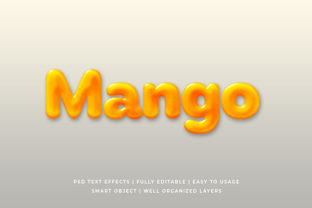
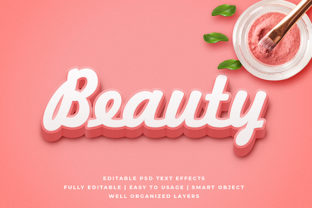
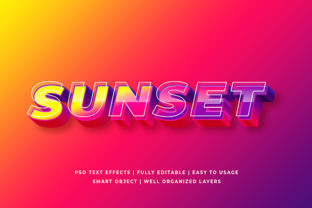
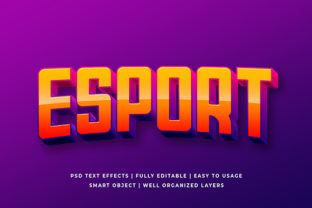
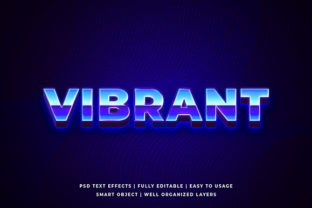
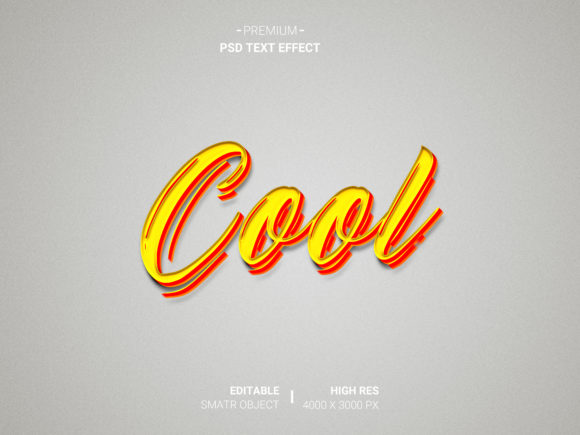
Cool 3D Text Style is fundamentally a collection of pre-configured templates designed primarily for Adobe Photoshop. Unlike traditional methods where a designer must manually extrude, bevel, and texture every letter individually, this system relies on the functionality of smart objects within PSD files. The core mechanism allows users to double-click a designated smart object layer, paste their own design or text content, and save the file. Upon saving, the template automatically applies the complex 3D rendering settings to the new input.
This process transforms the creation of high-fidelity 3D text from a multi-hour task into a matter of minutes. The underlying technology utilizes fully layered, well-organized folders within the Photoshop document. These layers control lighting, shadows, reflections, and depth, ensuring that the final output maintains a realistic presentation regardless of the user's input. The result is a highly realistic representation of designs that mimics physical materials such as metal, glass, neon, or plastic.
Key Features and Practical Benefits
When analyzing the utility of this tool, several distinct features stand out as primary benefits for designers and business owners alike:
- Smart Object Replacement: This is the most critical feature. It decouples the artistic effect from the creative input. Users do not need to understand the technical parameters of 3D rendering; they only need to provide the content. This ensures consistency across multiple projects while allowing for rapid iteration.
- High Resolution Output: The templates are engineered to support high-resolution exports. This is vital for print media, large-format banners, and high-density displays where pixelation would ruin the professional appearance of the text.
- No Skill Requirement: The barrier to entry is significantly lowered. Individuals with limited experience in 3D modeling or advanced Photoshop techniques can produce results that previously required expert-level skills. This democratizes access to high-quality visual assets.
- Organized Layer Structure: The internal architecture of the files is described as fully layered and organized into folders. This allows for granular adjustments if necessary. A user can tweak specific lighting angles or shadow intensities by manipulating the underlying layers, providing flexibility beyond simple text replacement.
Situations Where This Tool Excels
The decision to adopt Cool 3D Text Style often depends on the specific requirements of a project. It is particularly strong in scenarios where speed and volume are prioritized over unique, one-off custom modeling.
For marketing teams producing social media assets, email headers, or promotional flyers, the ability to generate consistent, high-quality 3D text rapidly is invaluable. If a campaign requires ten different variations of a slogan with the same stylistic treatment, this tool eliminates the repetitive labor of rebuilding the effect for each variation. Similarly, for e-commerce businesses needing product titles or sale badges, the high-resolution capability ensures that graphics look sharp on both mobile devices and printed packaging.
Furthermore, it serves as an excellent educational resource. Beginners learning about 3D composition can study the organized layers to understand how light sources, ambient occlusion, and material textures interact. By observing how the template handles different inputs, users gain insights into the principles of realistic rendering without the frustration of troubleshooting broken geometry.
Tradeoffs and Considerations
While the efficiency gains are substantial, potential users must consider the inherent tradeoffs of using pre-made styles versus building effects from scratch.
The primary limitation is the lack of total customization regarding the geometry itself. While you can change the text content, you cannot easily alter the fundamental shape of the letters (e.g., changing a serif font to a completely different structural typeface might not render perfectly if the template is optimized for specific character widths). Additionally, because the base effect is pre-defined, achieving a truly unique look that deviates significantly from the provided aesthetic may require significant modification of the underlying layers, which could negate the time-saving benefits.
There is also a dependency on the software environment. Since these are PSD files, they require Adobe Photoshop. Users relying on other platforms like GIMP, Canva, or Affinity Photo will find this specific resource incompatible without conversion, which can introduce compatibility issues. Finally, the "no skill requirement" aspect means that the user is reliant on the quality of the preset. If the lighting setup in the template does not suit the specific background color or image context, the result may appear flat or disjointed.
Alternatives Worth Considering
Before committing to Cool 3D Text Style, it is prudent to evaluate alternative approaches based on long-term goals.
If the project demands a completely bespoke look that matches a specific brand identity down to the exact curvature of the letters, dedicated 3D software like Blender, Cinema 4D, or the native 3D features in Photoshop (using the 3D panel) may be superior. These tools offer infinite scalability and total control but come with a steep learning curve and higher time costs.
For users who need quick, web-based solutions without installing heavy software, vector-based design tools or online generators might be more appropriate. However, these often lack the photorealistic depth and texture complexity that the smart object templates provide. The choice ultimately rests on the balance between the desired visual fidelity and the available time and expertise.
Decision-Making Insights
Determining whether this resource aligns with your needs requires a clear assessment of your workflow constraints. Ask yourself: Is the priority speed and consistency, or is it absolute uniqueness? If you need to produce a batch of high-quality 3D graphics quickly and have access to Photoshop, Cool 3D Text Style represents a logical and efficient choice. The organized layers allow for necessary tweaks, while the smart object functionality ensures reliability.
Conversely, if you are building a long-term library of assets where every element must be hand-crafted to ensure perfect brand alignment, or if you lack the necessary software infrastructure, investing time in learning 3D modeling from the ground up might yield better long-term returns. For those seeking to learn the fundamentals of 3D design, studying the layers within this package can serve as a practical bridge between basic editing and advanced compositing.
In conclusion, Cool 3D Text Style is a specialized tool designed to optimize the production of realistic 3D typography. Its value lies in its ability to deliver professional-grade results with minimal friction. By understanding its strengths in efficiency and ease of use, alongside its limitations in geometric flexibility, designers can make informed decisions that best serve their specific project requirements.